
We’re pleased to announce a new feature for BookBildr for Education that makes classroom setup even easier.
Teachers can now invite students to join their group using a shareable invitation link—no email required.
This update is especially helpful for schools that block incoming emails from external addresses, making traditional email invitations unreliable or impossible. With the new Invite Link option, teachers can manually share a secure link with students through their school’s preferred communication method.
How It Works
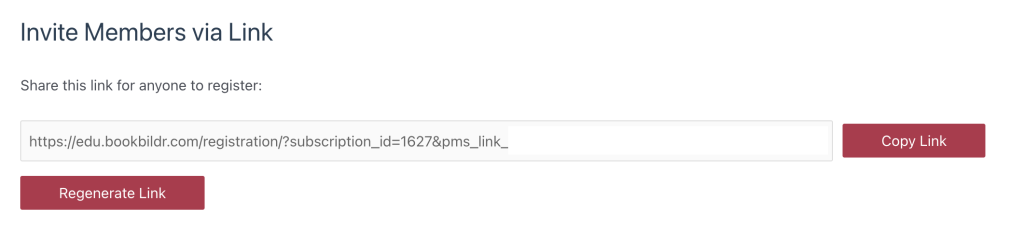
The Group Owner can generate a single, reusable Invite Link directly from the group settings. This link can be:
- Copied and shared with students
- Reused as needed
- Regenerated at any time for security or classroom changes
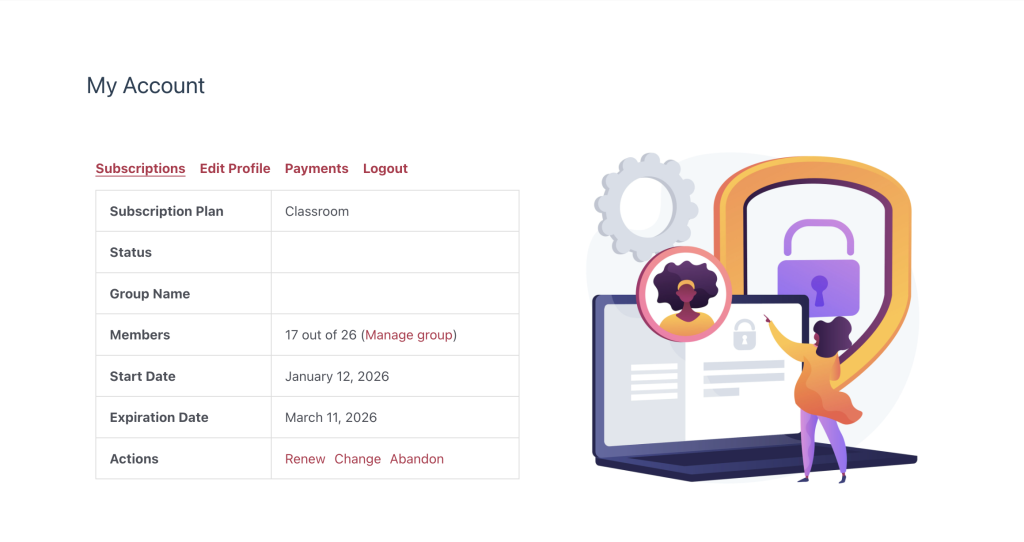
To generate invitation links, log in to your account and go to My Account – Account Management. In the account dashboard, click on the Manage Group link, then scroll down to the invitation link generation field. Once you have the link, copy it and share it with your students.
Students simply click the link to join the group—quick, simple, and email-free.
We designed this feature to give educators more flexibility and control while reducing technical barriers in school environments.
BookBildr for Education continues to evolve with real classroom needs in mind.